0–5Informal adoption
AI use is happening faster than evidence collection.
Start with the basics: AI inventory, named owner, data-access map, and written action boundary.
Move78 route: ACT-1 or free assessments.
For teams using Gemini, Workspace AI, AI Studio, Antigravity, Managed Agents, Model Armor, or similar Google AI services. Use the checklist to identify owners, approvals, logs, boundaries, and missing implementation records.
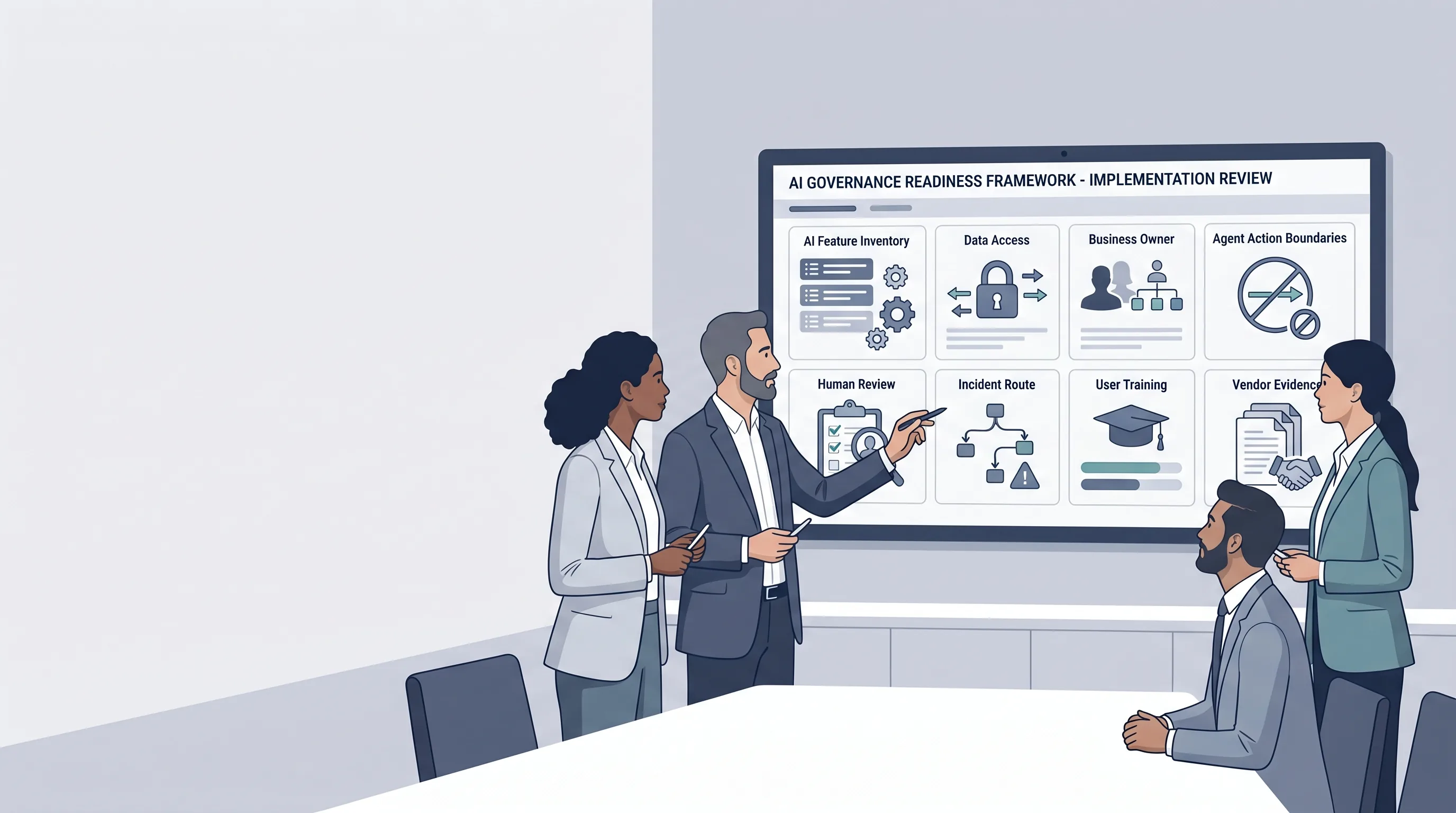
If your team is adopting Google AI tools, start with governance evidence before scaling usage. The minimum evidence set is simple: list the AI feature, name the owner, record the data it can touch, define what actions need approval, keep logs, document review steps, and know how to stop or roll back risky activity.
The problem is not that Google AI tools are “bad.” The problem is that fast adoption often leaves no clean record of who approved the use case, what data was exposed, what actions the agent could take, and what evidence exists if a customer, auditor, board, or regulator asks.
Your team is using AI inside Gmail, Docs, Drive, Sheets, Meet, Chat, or connected business workflows.
You are testing agents that browse, call tools, update records, generate code, send drafts, or operate in a sandbox.
You need a practical path from AI adoption to inventory, ownership, approval, logging, and control evidence.
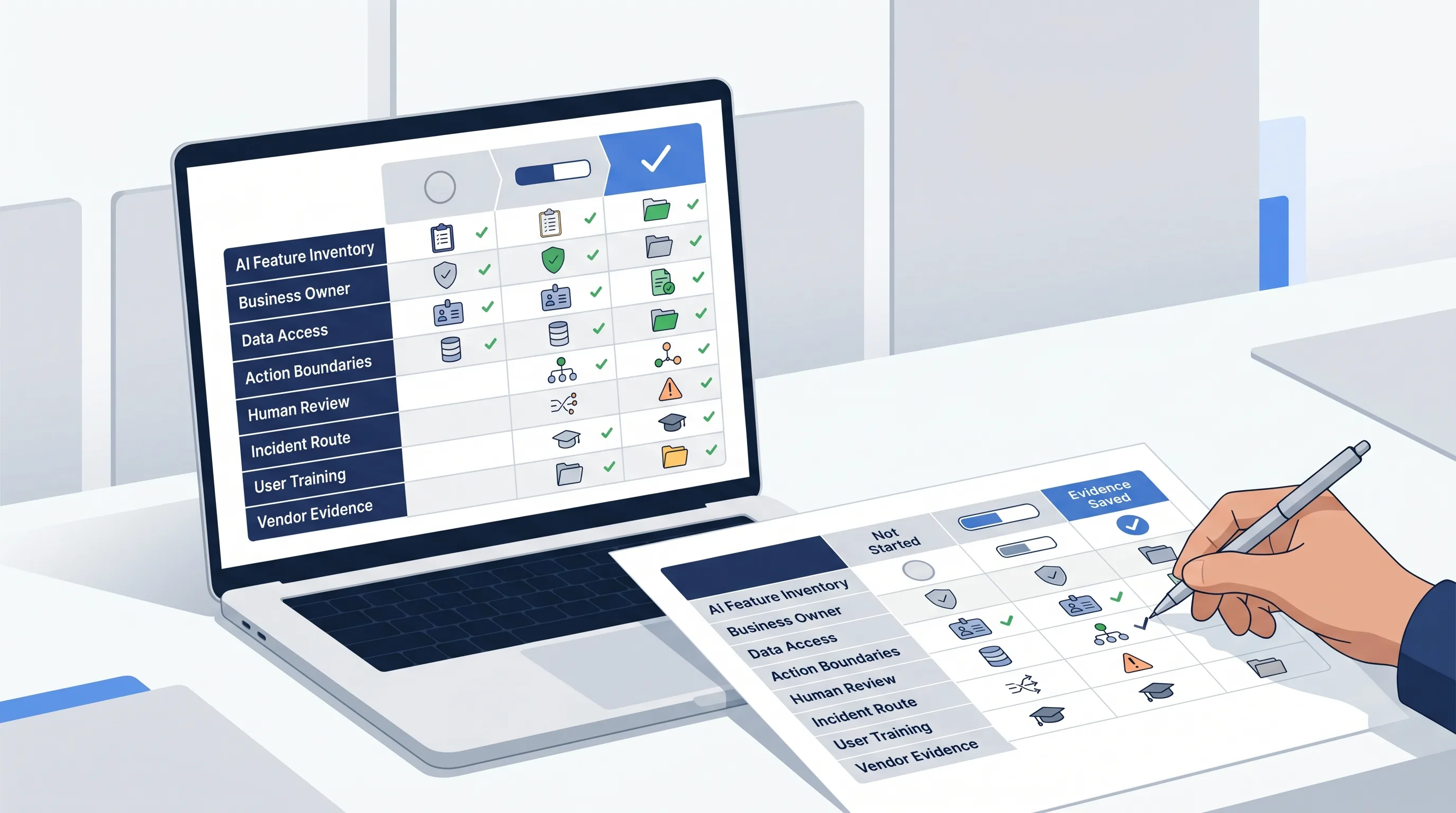
Select the evidence maturity for each control. Use Evidence saved only when someone can find the record later, not when the control exists only in chat history, a meeting note, or team memory.
Scoring rule: Not started = 0. Partly documented = 1. Evidence saved = 2. Maximum score = 20.
Start by changing each row from Not started to the state that matches the evidence you can actually retrieve.
Start with ACT-1 or a free assessment before wider rollout.
| Governance control | Not started | Partly documented | Evidence saved |
|---|---|---|---|
| AI feature inventoryYou can list which Google AI tools, features, agents, or workflows are being used and by which team. | |||
| Business ownerEach use case has an accountable owner, not only an IT admin or enthusiastic user. | |||
| Data access mapYou know whether the AI tool can touch personal data, confidential files, customer records, source code, tickets, or sales data. | |||
| Action boundariesThe team knows what AI may read, draft, change, send, update, execute, or never do without approval. | |||
| Human review and approvalHigh-impact actions such as external messages, record changes, code changes, or public content have a defined review point. | |||
| Prompt and response protectionThe team has reviewed prompt injection, sensitive-data exposure, harmful output, unsafe links, and unsafe file risks before wider rollout. | |||
| Logs and retained evidenceApprovals, outputs, changes, incidents, and user decisions have a known retention location. | |||
| Incident routeThere is an escalation route if the AI tool exposes data, performs the wrong action, creates harmful content, or behaves unexpectedly. | |||
| User trainingUsers understand what they may paste into AI tools, when to review outputs, and when to stop and escalate. | |||
| Vendor and configuration evidenceYou retain relevant Google documentation, admin settings, configuration decisions, and internal approval notes. |
This is a first-pass implementation signal. It is not a certification score, legal opinion, audit result, or security assurance.
This is a first-pass implementation signal, not a compliance score. It shows which Google AI governance controls have saved evidence and which still need work.
None yet.
None yet.
All controls.
Score: 0/20. Evidence saved: none. Partly documented: none. Not started: all controls.
Use the score to decide the next evidence step. The goal is not a perfect number. The goal is to find the controls that cannot yet be shown to a buyer, board, risk team, or internal reviewer.
Start with the basics: AI inventory, named owner, data-access map, and written action boundary.
Convert informal controls into registers, approval records, logs, retained decisions, and vendor evidence.
Stress-test whether the records can be inspected by a buyer, board, risk team, or internal audit function.
Check new agentic, coding, integration, and data-access use cases before wider deployment.
The matrix shows where governance evidence is thin. The next step is to convert the weak rows into artifacts that someone can inspect, reuse, and update.
Use when you need a clean first structure: inventory, ownership, basic risk notes, and evidence starters.
Use when Google AI adoption must map into controls, registers, vendor evidence, board reporting, and cross-framework implementation.
Use when the team needs help converting tool adoption into evidence, owners, approval rules, and management-ready decisions.
If your Google AI use case can call tools, execute code, browse the web, or write files, use the agent control matrix next.
Move from a first-pass readiness signal into editable implementation records for AI governance, agentic AI, vendor diligence, board reporting, and AI risk management.
This page is based on public Google and standards sources reviewed on 2026-05-23. It is intended as operational implementation guidance, not legal, audit, certification, procurement, or security assurance.
Last reviewed: 2026-05-23.
Public source basis: Google I/O 2026 announcements, Google Cloud I/O 26 announcements, Google Cloud Model Armor documentation, Google Search Central AI optimization guidance, NIST AI RMF, and ISO/IEC 42001 public overview.
Move78 materials are informational and implementation-support resources only. They are not legal, tax, regulatory, audit, certification, conformity-assessment, procurement, or security advice.